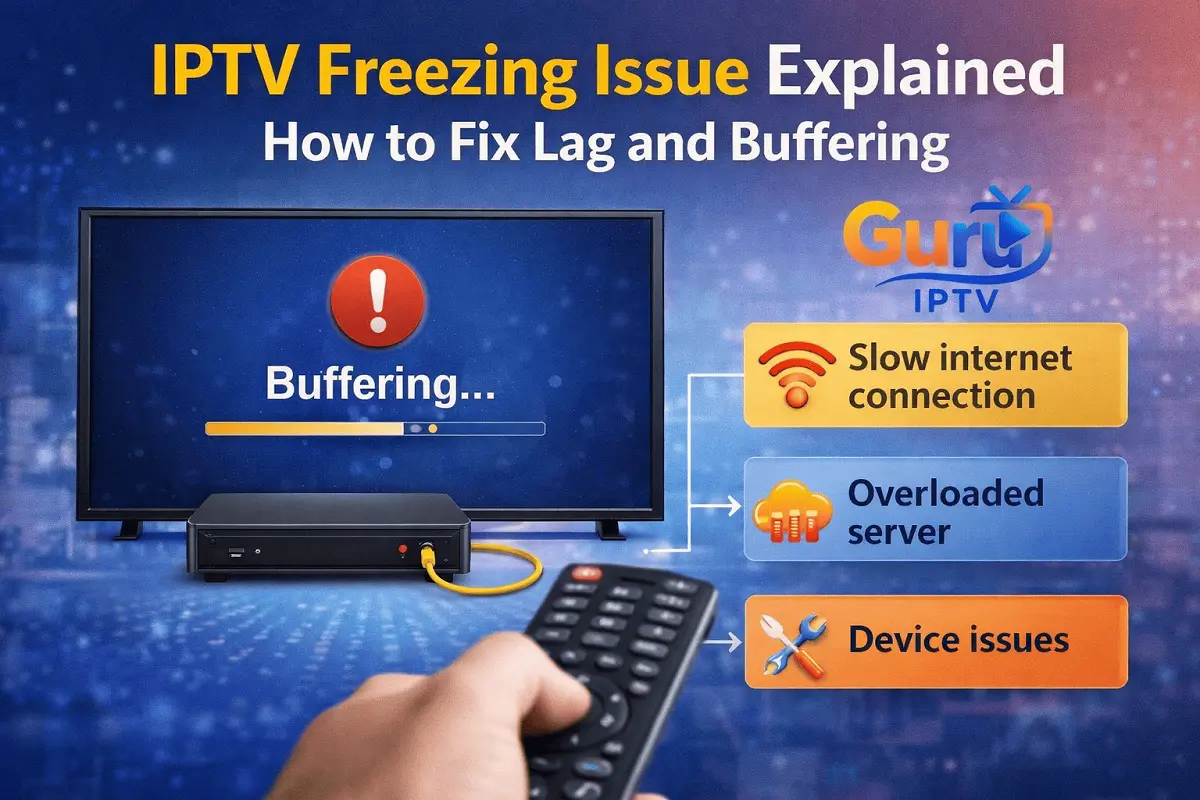
Freezing points in IPTV are most likely to occur owing to unstable internet, WiFi interference, network congestion, and limitations with devices. Issues such as Guru IPTV freezing every few minutes, Wi-Fi buffering, or SMTVs freezing may be resolved without requiring your service to be modified. Using Ethernet, deleting cache, driver restarts, limiting devices, and updating apps can lead to improved streaming. SMTVs can face difficulties while streaming high IPTV content. Hence, using a streaming device can be quite helpful. With a proper setup and a few repairs, Guru IPTV from guruiptvusa.com can be streamed without any freezing points.
If you have ever sat down to enjoy watching your favorite TV channel when the episodes keep pausing with the display of pause circles or the screen is frozen, you are not alone. Freezing when using IPTV is one of the major complaints expressed by people who use these platforms. This is from Guru IPTV freezing to Guru IPTV buffering on wifi to Guru IPTV lagging on Smart TV.
The Positive Side: Fortunately, most IPTV freezing problems can be solved. There is no need to possess technical knowledge in order to solve the issue, as you will not need to replace the entire system. We will discuss what is causing IPTV freezing as well as share some effective solutions to achieve optimal IPTV streaming, most notably when using Guru IPTV from guruiptvusa.com, in this tutorial.
What Is an IPTV Freezing Issue?
A Freezing issue in IPTV an IPTV Freezing issue may occur when your live TV channel or on-demand service suddenly freezes or becomes stuck and will not play. The issue is common when your gadget has a hard time accessing a continuous stream of data. The difference between a normal Cable and IPTV is that the IPTV works solely on your internet.
The freezing could occur randomly or every few minutes, and this is commonly reported by users experiencing the Guru IPTV freezing issue every few minutes on live events, movies, or international stations.
Common Reasons for IPTV Freezing
To solve it, you have to identify its cause first. Usually, there is more than one reason why IPTV is freezing.
1. Internet Speed Isn’t Stable Enough
Even if you are of the opinion that the speed of the internet is the only factor that needs to be considered for the proper running of the software, stability is an even more important factor. Even if you have an internet package with high speeds, if the speeds fluctuate or cut out abruptly from time to time, you will end up experiencing buffering.
2. WiFi Interference & Weak Signals
IPTV over Wi-Fi offers many advantages. However, it has a tendency to suffer from interference. The presence of walls, distance from the router, as well as devices operating on Wi-Fi, causes dropping.
3. Device Limitations
Traditional Smart TVs, Fire Sticks, or Android devices could have trouble handling high-definition streams. If you notice that Guru IPTV Indian channel is lagging on Smart TV but is functioning well on your mobile device, it is possible that your Smart TV’s hardware is to blame.
4. APP CACHE & BACKGROUND PROCESSING
Eventually, cache files from IPTV apps accumulated on devices can lead to slower performance. Having multiple apps running in the background simultaneously can consume system resources and cause freezing.
5. Network Congestion During Peak Hours
Even the best IPTV solutions can become slow if your internal network gets congested, particularly during peak evening periods and live events.
Best USA IPTV – Fast, Reliable, and Affordable Plans
How to Solve IPTV Freezing Problems: A Step-by-Step Guide
Now, let’s try to focus on the solutions. These solutions will be of great benefit to most IPTV users. They will especially be very helpful when it comes to solving the freezing problems encountered at Guru IPTV subscription.
1. First, Check Your Internet Connection
Begin with a speed test. For smooth IPTV streaming:
- The SD channels require at least 5 Mbps.
- HD channels require 10 to 15 Mbps
- 4K Contents May Require 25 Mbps or higher
“If your speed check indicates that you’re fine but you’re still having a problem with freezing, you need to power cycle both the modem and the Wi-Fi router. A power cycle will potentially resolve any problems
2. Transition from Wi-Fi to Ethernet
If you are facing Guru IPTV buffering issues over a WiFi network, I would recommend using an Ethernet internet connection. The internet speed will be much more stable on an Ethernet network compared to a WiFi network. For Smart TVs and IPTV boxes, an Ethernet internet connection will be a huge improvement over a WiFi network.
“If this is not possible with wiring, it is recommended that you relocate your router to be closer to your TV or streaming device. You could also use a ‘Wi-Fi Extender’
3. Reduce WiFi Load
Too many devices using the same network can cause the IPTV to freeze. Try:
- Stopping Downloads & Updates
- Unplug Unused Devices
- To avoid heavy streaming on multiple screens at the same time.
- This is especially useful if the freezing during Guru IPTV is only during the evening hours, and when it happens, your IPTV service freezes every few minutes.
4. Clear App Cache and Restart the App
The data in the cache may cause the speed of the IPTV application to slow down with time. Deleting the cache will update the application and eliminate any lag problems fast. After this, the application should be restarted and the playlist reloaded.
This step alone has resolved many users who were experiencing delays with Guru IPTV for their Smart TV.
5. Update Your Device and IPTV App
Outdated software may result in compatibility problems. Ensure:
- Your Smart TV firmware is up to date
- Your IPTV application is upgraded to the latest version.
- These usually come with improvements to performance and elimination of the freezing bugs.
- Advanced Methods to Prevent Freezing in IPTV
- In case the basic troubleshooting does not completely resolve the issue, you can consider these advanced tips.
6. Change Stream Quality
If your app offers quality selection and this is an option, you could consider turning it down just a notch. Streaming in Full HD rather than in 4K will cut down buffering times immensely without impacting quality.
7. Employ a Dedicated IPTV Device
Smart TVs can be very handy. However, they may not necessarily have the best hardware for streaming. A dedicated IPTV box or an Android box is generally more seamless than a smart TV.
8. Restart Your Device Regularly
If your Internet media players require intermittent rebooting. Memory is drained, background processes are terminated, and performance is maintained.
Is the IPTV Service the Problem?
A question frequently asked there can be instances where users get concerned that freezing might lead to unreliable services. Although such instances are true, most freezing occurrences have nothing to do with the services.
Guru IPTV, accessible through guruiptvusa.com, is capable of handling a high traffic load and streaming smoothly. If you’re still experiencing problems even with optimizations made within your setup, it might be a temporary issue that could be eliminated through checks with their support team.
- Guru IPTV Box: Complete Setup Guide for Beginners

- How to Set Up Guru IPTV Channels on Smart TV & Android

- How to Choose the Best IPTV 2026 Subscription

- How to Set Up IPTV Plans on Any Device
- What is IPTV? The Best Way to Watch Indian Channels Anywhere
- How IPTV Subscriptions Are Changing the Way We Watch TV

Why IPTV Freezing is More Common in Smart TVs
Smart TVs are users often notice that Guru IPTV has a delay on a Smart TV but that other hardware is working properly for them. This is generally happening for a reason such as:
- Smart TVs have low RAM
- Smart TVs have
- Applications run slower on older TV operating systems
- TVs are not very good multitaskers
- The use of an external streaming device is also known to solve this issue instantly.
Final Conclusion:
IPTV Enjoyment Without Freezing A problem with an IPTV freeze can be annoying, but in reality, there’s nothing serious to worry about. All you need in most of these situations is a simple adjustment to either increase the stability of your internet connectivity or upgrade the device. But if you’re the person experiencing Guru IPTV freezing every few minutes, Guru IPTV buffering on WiFi, or Guru IPTV lagging on your Smart TV, don’t immediately consider calling customer service to ask them to terminate the connections provided for Guru IPTV TV. IPTV is supposed to make entertainment effortless, not stressful. While you make the right adjustments, you should relax and enjoy the content without interruptions as it was originally intended to be experienced.